

Wondering which versions of macOS your Mac can run? Want to know if you can run macOS 27 Golden Gate? We’ve put together a macOS compatibility checker that will show you what Macs the different versions of macOS and Mac OS X support, so you can tell what version you should be running on your Mac if you want the latest features and security protections.
Read on to find out exactly which Macs are supported by each version of the Mac operating system.
macOS 27 Golden Gate arrived on September 14.
Apple releases a new version of the Mac operating system every year—but the newest version of the Mac operating system does not support every Mac. Each year more and more Macs fall off the compatibility list and are unable to be updated to take advantage of the latest features.
Here’s a simple table you can use to identify the version of macOS your Mac can run based on the year it was introduced. Note there are some exceptions where only certain models are compatible with a macOS version. For more details of specific models check the sections later on in this article.
| Year | MacBook Neo | MacBook Air, 13- & 15-inch | MacBook Pro 14- & 16-inch | iMac | Mac mini | Mac Studio | Mac Pro | MacBook Pro 13-inch | MacBook Pro 15-inch |
|---|---|---|---|---|---|---|---|---|---|
| 2026 | macOS 26 Tahoe/macOS 27 Golden Gate (A18 Pro) | macOS 26 Tahoe/macOS 27 Golden Gate (M5) | macOS 26 Tahoe/macOS 27 Golden Gate (M5 Pro & M5 Max) | macOS 27 Golden Gate (M6) | macOS 27 Golden Gate (M6, M5 Pro) | macOS 27 Golden Gate (M5 Max, M5 Ultra) | |||
| 2025 | macOS 26 Tahoe/macOS 27 Golden Gate (M4) | macOS 26 Tahoe/macOS 27 Golden Gate (M5) | macOS 26 Tahoe/macOS 27 Golden Gate (M4 Max, M3 Ultra) | ||||||
| 2024 | macOS 26 Tahoe/macOS 27 Golden Gate (M3) | macOS 26 Tahoe/macOS 27 Golden Gate (M4, M4 Pro & M4 Max) | macOS 26 Tahoe/macOS 27 Golden Gate (M4) | macOS 26 Tahoe/macOS 27 Golden Gate (M4, M4 Pro) | |||||
| 2023 | macOS 26 Tahoe/macOS 27 Golden Gate (15-inch, M2) | macOS 26 Tahoe/macOS 27 Golden Gate (M2 Pro & M2 Max, M3, M3 Pro & M3 Max) | macOS 26 Tahoe/macOS 27 Golden Gate (M3) | macOS 26 Tahoe/macOS 27 Golden Gate (M2, M2 Pro) | macOS 26 Tahoe/macOS 27 Golden Gate (M2 Max, M2 Ultra) | macOS 26 Tahoe (M2 Ultra) | |||
| 2022 | macOS 26 Tahoe/macOS 27 Golden Gate (M2) | macOS 26 Tahoe/macOS 27 Golden Gate (M1 Max, M1 Ultra) | macOS 26 Tahoe/macOS 27 Golden Gate (M2, 13-inch) | ||||||
| 2021 | macOS 26 Tahoe/macOS 27 Golden Gate (M1 Pro & M1 Max) | macOS 26 Tahoe/macOS 27 Golden Gate (M1) | |||||||
| 2020 | macOS 26 Tahoe/macOS 27 Golden Gate (M1 only) & macOS 15 Sequoia (Intel) | macOS 26 Tahoe (iMac 27-inch, Intel) | macOS 26 Tahoe/macOS 27 Golden Gate (M1) | macOS 26 Tahoe/macOS 27 Golden Gate (M1, 13-inch) | |||||
| 2019 | macOS 14 Sonoma | macOS 15 Sequoia | macOS 26 Tahoe | macOS 15 Sequoia | macOS 26 Tahoe | ||||
| 2018 | macOS 14 Sonoma | macOS 15 Sequoia | macOS 15 Sequoia | macOS 15 Sequoia | |||||
| 2017 | macOS 12 Monterey | macOS 13 Ventura | macOS 13 Ventura | macOS 13 Ventura | |||||
| 2016 | macOS 12 Monterey | macOS 12 Monterey | macOS 12 Monterey | ||||||
| 2015 | macOS 12 Monterey | macOS 12 Monterey | macOS 12 Monterey | macOS 12 Monterey | |||||
| 2014 | macOS 11 Big Sur | macOS 12 Monterey | macOS 12 Monterey | macOS 11 Big Sur | macOS 11 Big Sur | ||||
| 2013 | macOS 11 Big Sur | macOS 11 Big Sur | macOS 12 Monterey | macOS 11 Big Sur (Retina only) | macOS 11 Big Sur |
For advice about installing macOS read: How to install macOS on your Mac and read our guide to every version of macOS released to find out about the latest version.
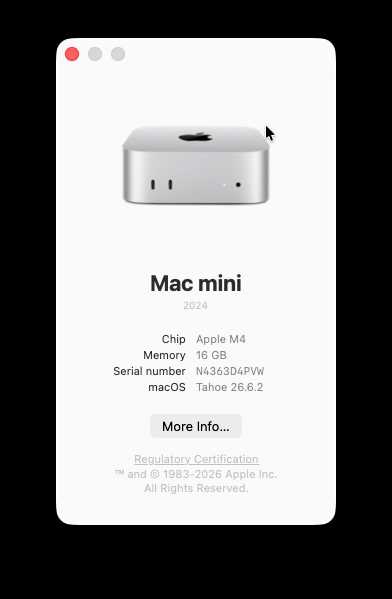
Find out what Mac you own.
Foundry
Not sure which Mac model you own? Here’s how to check which Mac model you have.
The quickest way is to click the Apple logo in the top-left corner of your screen and select About This Mac. This will show you an overview including the model name, year it was made, chip, and memory.
If you need more detailed specs — like processor generation or exact configuration — you can click on the More Info… button, or go to System Settings > General > About.
macOS 27 Golden Gate launched on September 14 2026.
Latest version: macOS Golden Gate 27.2.1 on November 9, 2026.
macOS Golden Gate does not support any Intel-powered Macs, but all Apple silicon Macs are supported, including the M1 and the A18 Pro-powered MacBook Neo.
There are some limitations though, some AI-powered Siri voice features, such as more expressive voice and advanced dictation, require M3 and at least 12GB RAM.
A compatible Mac does not guarantee that all your existing software and peripherals will work. Some older printer software still relies on Intel-based components and may require Rosetta in macOS 27. Check for updated software before upgrading, and see our older-printer troubleshooting advice.
Find the Macs that will run Golden Gate in the table below:
| Introduced | Product |
|---|---|
| Nov 2020 | MacBook Air (13-inch, M1) |
| Nov 2020 | MacBook Pro (13-inch, M1, 2-port) |
| Nov 2020 | Mac mini (M1) |
| Apr 2021 | iMac (24-inch, M1) |
| Oct 2021 | MacBook Pro (14-inch, M1 Pro / M1 Max) |
| Oct 2021 | MacBook Pro (16-inch, M1 Pro / M1 Max) |
| Mar 2022 | Mac Studio (M1 Max / M1 Ultra) |
| Jun 2022 | MacBook Air (13.6-inch, M2) |
| Jun 2022 | MacBook Pro (13-inch, M2) |
| Jan 2023 | Mac mini (M2 / M2 Pro) |
| Jan 2023 | MacBook Pro (14-inch, M2 Pro / M2 Max) |
| Jan 2023 | MacBook Pro (16-inch, M2 Pro / M2 Max) |
| Jun 2023 | Mac Pro (Tower, M2 Ultra) |
| Jun 2023 | Mac Studio (M2 Max / M2 Ultra) |
| Jun 2023 | MacBook Air (15.3-inch, M2) |
| Oct 2023 | MacBook Pro (14-inch, M3 / M3 Pro / M3 Max) |
| Oct 2023 | MacBook Pro (16-inch, M3 Pro / M3 Max) |
| Oct 2023 | iMac (24-inch, M3) |
| Mar 2024 | MacBook Air (13-inch, M3) |
| Mar 2024 | MacBook Air (15-inch, M3) |
| Oct 2024 | MacBook Pro (14-inch, M4 / M4 Pro / M4 Max) |
| Oct 2024 | MacBook Pro (16-inch, M4 Pro / M4 Max) |
| Oct 2024 | iMac (24-inch, M4) |
| Oct 2024 | Mac mini (M4 / M4 Pro) |
| Mar 2025 | MacBook Air (13-inch, M4) |
| Mar 2025 | MacBook Air (15-inch, M4) |
| Mar 2025 | Mac Studio (M4 Max / M3 Ultra) |
| Oct 2025 | MacBook Pro (14-inch, M5) |
| Mar 2026 | MacBook Pro (14-inch, M5 Pro / M5 Max) |
| Mar 2026 | MacBook Pro (16-inch, M5 Pro / M5 Max) |
| Mar 2026 | MacBook Air (13-inch, M5) |
| Mar 2026 | MacBook Air (15-inch, M5) |
| Mar 2026 | MacBook Neo (A18 Pro) |
| Aug 2026 | Mac mini (M6 / M5 Pro) |
| Aug 2026 | Mac Studio (M5 Max / M5 Ultra) |
| Oct 2026 | MacBook Pro (14-inch, M5 Pro / M5 Max, PROLED XDR) |
| Oct 2026 | MacBook Pro (16-inch, M5 Pro / M5 Max, PROLED XDR) |
The following Macs that were supported by 2025’s macOS Tahoe, and any that are older than these, are not able to run Golden Gate:
All Apple silicon Macs, including the A18 Pro-powered MacBook Neo, support Apple Intelligence. However, there are hardware requirements for the AI-powered Siri voice features, including the more expressive voice and advanced dictation. Only Macs with an M3 or better, and at least 12GB RAM, will be able to run those features.
There are no Intel Macs that support Apple Intelligence.
Intel Macs cannot run macOS 27 Golden Gate, but that doesn’t automatically mean you need to replace yours. Apple is still releasing security updates for macOS Tahoe and macOS Sequoia: the latest are Tahoe 26.7.3 and Sequoia 15.8.3, both released on November 9, 2026.
Check the compatibility lists below to find the newest macOS your Intel Mac supports, and install the available updates through System Settings > General > Software Update.
Apple has not announced a fixed end date for security updates to these versions, so we cannot guarantee how much longer they will receive fixes.
Tahoe (macOS 26) became available on September 15, 2025. The software still gets security updates when required.
Latest version: macOS Tahoe 26.7.3 on November 9, 2026.
Tahoe was the last version of macOS to support Macs that don’t run on Apple’s own silicon. There are four Intel-powered Macs that can run Tahoe.
To drill in to exactly which Mac model run macOS Tahoe you can browse the chart below:
| Introduced | Product |
|---|---|
| Nov 2019 | MacBook Pro (16-inch, 2019, Intel) |
| Dec 2019 | Mac Pro (2019, Intel) |
| May 2020 | MacBook Pro (13-inch, 2020, 4 Thunderbolt ports, Intel) |
| Aug 2020 | iMac (27-inch, 2020, Intel) |
| Nov 2020 | MacBook Air (13-inch, M1) |
| Nov 2020 | MacBook Pro (13-inch, M1, 2-port) |
| Nov 2020 | Mac mini (M1) |
| Apr 2021 | iMac (24-inch, M1) |
| Oct 2021 | MacBook Pro (14-inch, M1 Pro / M1 Max) |
| Oct 2021 | MacBook Pro (16-inch, M1 Pro / M1 Max) |
| Mar 2022 | Mac Studio (M1 Max / M1 Ultra) |
| Jun 2022 | MacBook Air (13.6-inch, M2) |
| Jun 2022 | MacBook Pro (13-inch, M2) |
| Jan 2023 | Mac mini (M2 / M2 Pro) |
| Jan 2023 | MacBook Pro (14-inch, M2 Pro / M2 Max) |
| Jan 2023 | MacBook Pro (16-inch, M2 Pro / M2 Max) |
| Jun 2023 | Mac Pro (Tower, M2 Ultra) |
| Jun 2023 | Mac Studio (M2 Max / M2 Ultra) |
| Jun 2023 | MacBook Air (15.3-inch, M2) |
| Oct 2023 | MacBook Pro (14-inch, M3 / M3 Pro / M3 Max) |
| Oct 2023 | MacBook Pro (16-inch, M3 Pro / M3 Max) |
| Oct 2023 | iMac (24-inch, M3) |
| Mar 2024 | MacBook Air (13-inch, M3) |
| Mar 2024 | MacBook Air (15-inch, M3) |
| Oct 2024 | MacBook Pro (14-inch, M4 / M4 Pro / M4 Max) |
| Oct 2024 | MacBook Pro (16-inch, M4 Pro / M4 Max) |
| Oct 2024 | iMac (24-inch, M4) |
| Oct 2024 | Mac mini (M4 / M4 Pro) |
| Mar 2025 | MacBook Air (13-inch, M4) |
| Mar 2025 | MacBook Air (15-inch, M4) |
| Mar 2025 | Mac Studio (M4 Max / M3 Ultra) |
| Oct 2025 | MacBook Pro (14-inch, M5) |
| Mar 2026 | MacBook Pro (14-inch, M5 Pro / M5 Max) |
| Mar 2026 | MacBook Pro (16-inch, M5 Pro / M5 Max) |
| Mar 2026 | MacBook Air (13-inch, M5) |
| Mar 2026 | MacBook Air (15-inch, M5) |
| Mar 2026 | MacBook Neo (A18 Pro) |
The following Macs that were supported by 2024’s macOS Sequoia, and any that are older than these, are not able to run Tahoe:
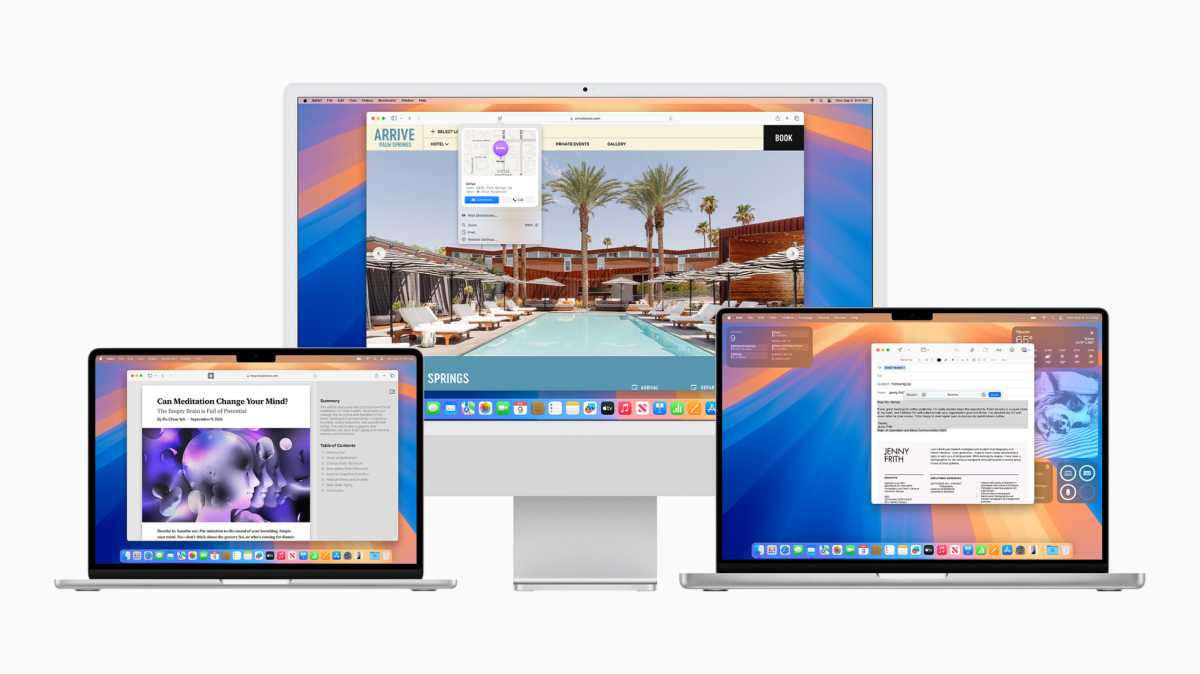
Which Macs run Sequoia? All the M-series Macs!
Apple
Sequoia (macOS 15) became available on Tuesday, September 16, 2024. The software still get security updates when required.
Latest version: macOS Sequoia 15.8.3 on November 9, 2026.
All M-series Macs can support Sequoia (and Apple Intelligence features), including:
The following Intel Macs can run Sequoia. None of these models can support the Apple Intelligence features though.
The following Macs that were supported by 2023’s macOS Sonoma, and any that are older than these, are not able to run Sequoia:
For more information read: Can my Mac run Sequoia?
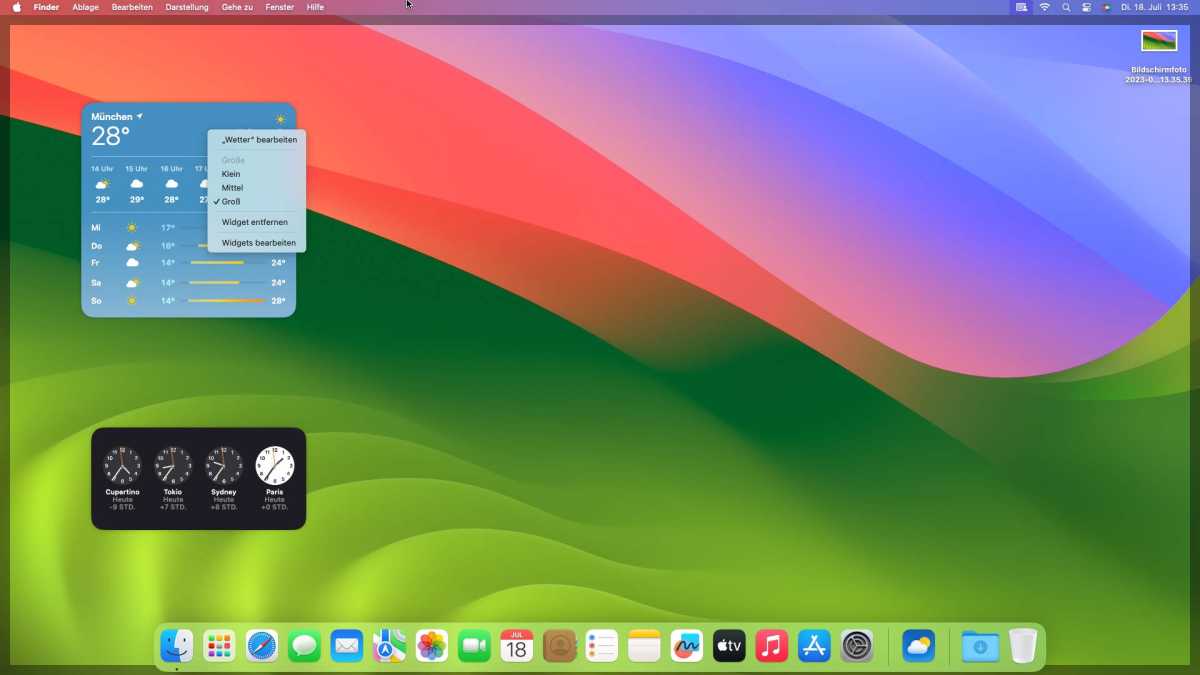
macOS Sonoma
arrived in 2023IDG
macOS 14 Sonoma became available on Tuesday, September 26, 2023.
Latest version: macOS Sonoma 14.8.9 on August 6, 2026.
For more information read: Can my Mac run Sonoma?
Apple
Apple released macOS 13 Ventura to the public on October 24, 2022. Apple is still issuing security updates for Ventura, the most recent was 13.7.8 in August 2025. Apple no longer support this version with security updates.
Latest version: macOS Ventura 13.7.8, August 20, 2025.
For more information read: Can my Mac run Ventura?

Apple
macOS 12 Monterey was made available to download on October 15, 2021 (latest version 12.7.6 in July 2024). Apple is no longer issuing security updates for Monterey.
Latest version: macOS Monterey 12.7.6, July 2024.
Apple
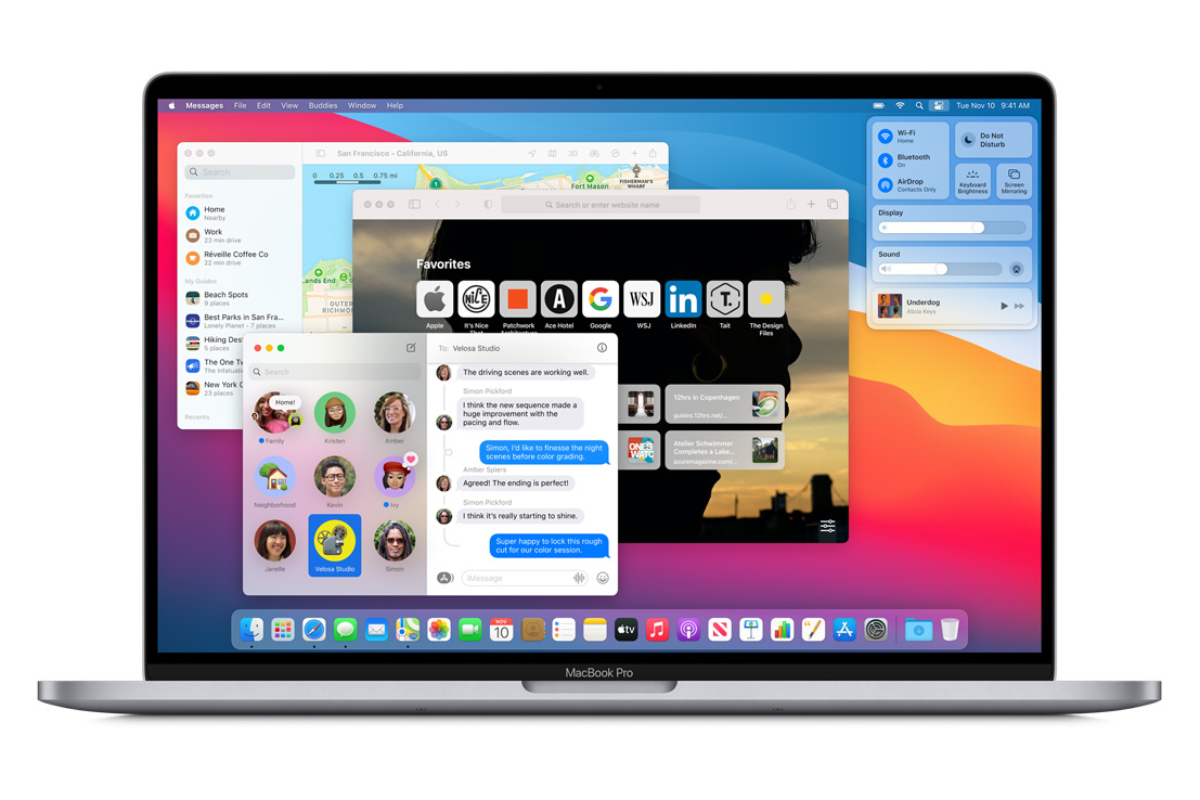
macOS 11 Big Sur was the version of macOS that arrived on November 12, 2020. Apple is no longer issuing security updates for Big Sur, but it did issue an update in February 2026 to address a certificate issue with FaceTime and Messages.
Latest version: macOS Big Sur 11.7.11, February 2026.
Catalina arrived in October 2019. Apple is no longer issuing security updates for Catalina, but it did issue an update in February 2026 to address a certificate issue with FaceTime and Messages.
Latest version: macOS Catalina 10.15.8, February 2026.
Note that the M-series Macs will not be able to run Catalina or earlier.

Mojave arrived in September 2018 (latest version 10.14.6 in July 2021) and can run on the following Macs:
High Sierra arrived in September 2017 (latest version 10.13.6) and can run on the following Macs:
Sierra, the first update to drop the “X” from the name, arrived in September 2016 (latest version 10.12.6) and can run on the following Macs:
El Capitan arrived in September 2015 (latest version 10.11.6) and can run on the following Macs:
Yosemite arrived in October 2014 (latest version 10.10.5) and can run on the following Macs:
Mavericks arrived in October 2013 (latest version 10.9.5) and can run on the following Macs:
Mountain Lion, the last of the “big cat” versions of the Mac operating system launched in July 2012 (latest version 10.8.5) and can run on the following Macs:
Wondering how long Apple will support your Mac for? Read: How long do Macs last?
Officially, the operating system that was available on your Mac at the time that you bought it is the oldest version of macOS that can run on that Mac. It’s likely that an older OS won’t include the necessary drivers for the hardware on newer Macs. For this reason, it is unlikely that you will be able to install an older version of macOS on a new Mac—but you can take a look at how to install old versions of macOS or OS X for other Macs. Owners of Macs with M-series chips (sometimes referred to as Apple Silicon) won’t be able to run older versions of macOS that weren’t designed for Apple Silicon Macs which use a different architecture, known as ARM, instead of x86.
But it may not just be a case of wanting to know if your Mac can run the newest operating system. You might also want to know if it is possible to downgrade your Mac to an older version of macOS and need to know the oldest version of macOS you can use. You’ll also find that information below. You can also see a complete list of all the different versions of macOS and Mac OS X. Not sure which Mac you own? Check our article about how to identify your Mac.


